Who should choose Apple Calendar + Reminders
Choose Apple’s included tools if your family is comfortable sharing iCloud calendars and Reminders lists. Scheduled reminders can appear in Calendar, so you may already have what you need.

Short Answer
Apple Calendar and Reminders are excellent native building blocks. Familia turns the family workflow into one purpose-built planner.
 Familia
Choose Apple’s included tools if your family is comfortable sharing iCloud calendars and Reminders lists. Scheduled reminders can appear in Calendar, so you may already have what you need.
Try Familia if you want the household to have its own daily board, with tasks, plans and smart capture built around family responsibilities.
Apple supports shared iCloud calendars and shared Reminders lists with assignments. Scheduled reminders can be viewed, created, edited and completed directly in Calendar.
Familia gives the family its own product language: Today, Plans, responsibilities, attachments, smart capture, and a web companion when a bigger planning surface helps.
You want the family’s plans and responsibilities in a dedicated household space.
You want a draft from text, voice or a photo that you can review before saving.
You want to see a person’s role in a task alongside its next occurrence.
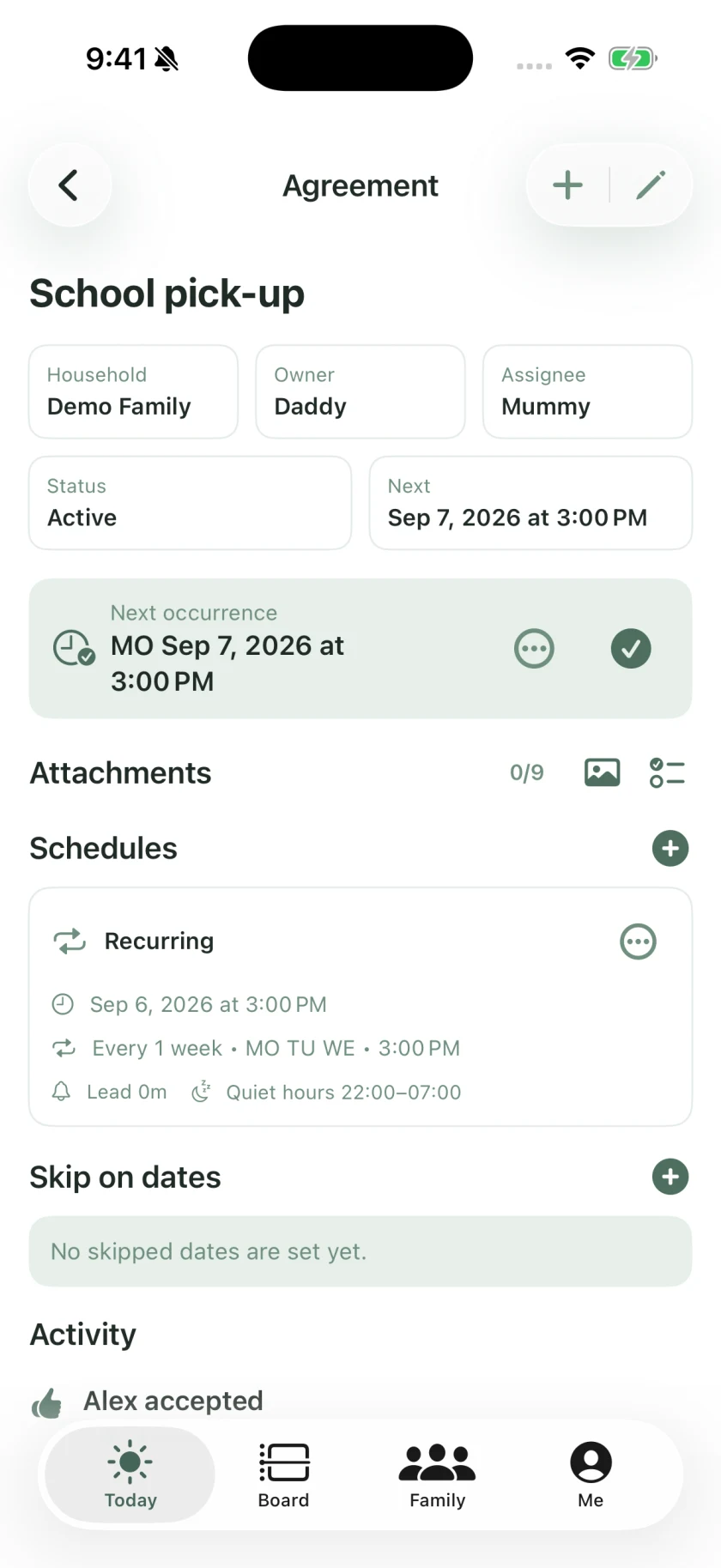
In Familia, school pick-up has an assignee, a recurring schedule and a next occurrence. Try the same situation in the other product: can both parents see who is going and when?
This example uses a fictional household. We do not claim measured speed or reliability advantages over other apps.
Start with Apple Calendar and Reminders if they solve your family’s needs. Familia offers a different organization of that work, with a dedicated family board and smart capture. It is not necessary to switch just to get shared tasks.
Share plans, tasks, and responsibilities in Familia. See what needs to happen, who will take care of it, and what still needs doing.
Download Familia